 Dailies
A to-do list that lands on your week
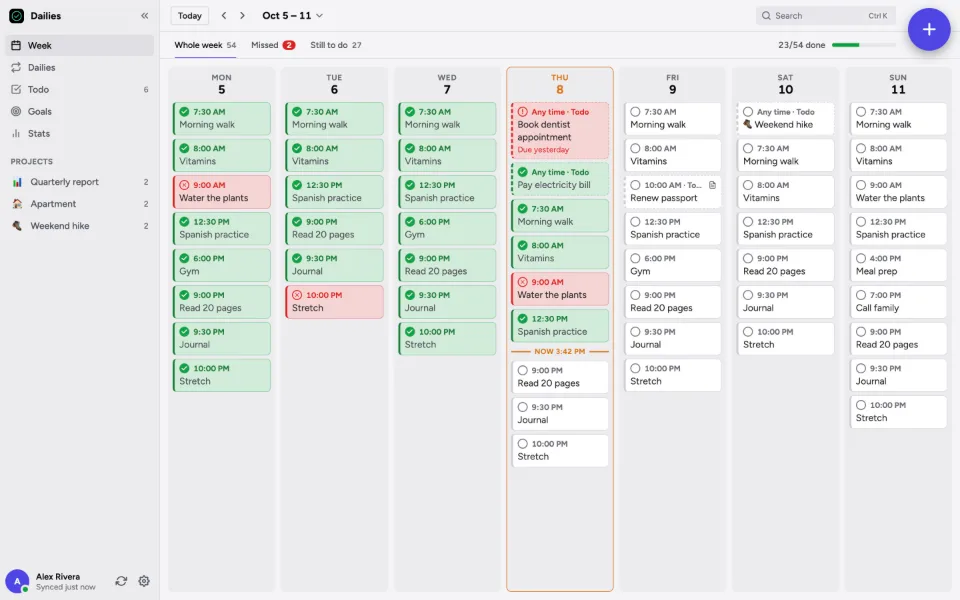
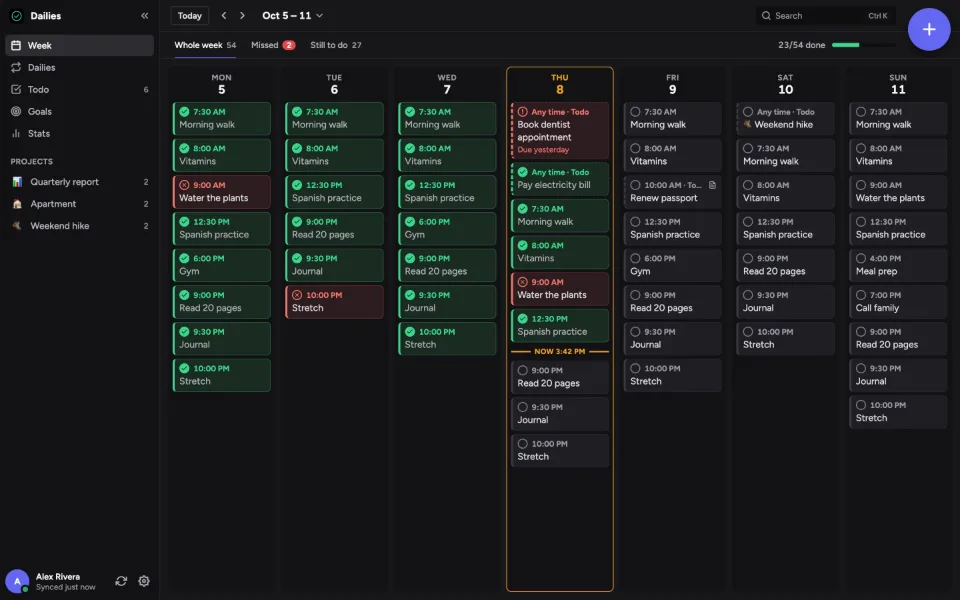
Give a todo a date and it shows up on your week board, right next to your daily routine. Miss it and it follows you to today until it's done.
How todos work in Dailies
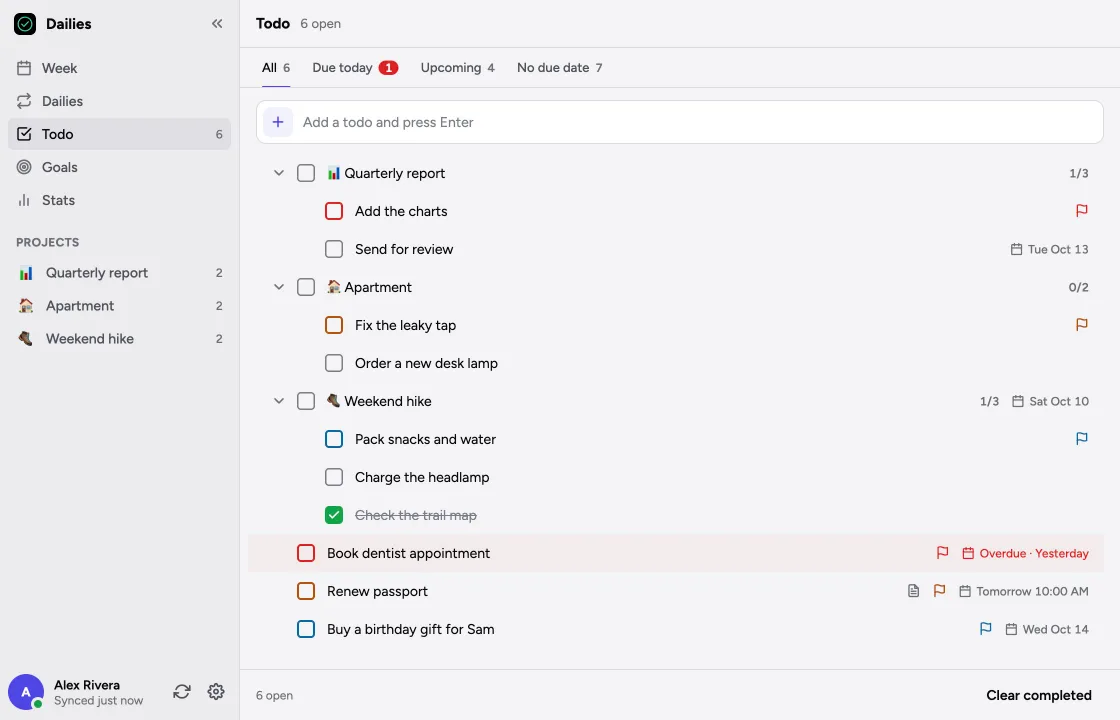
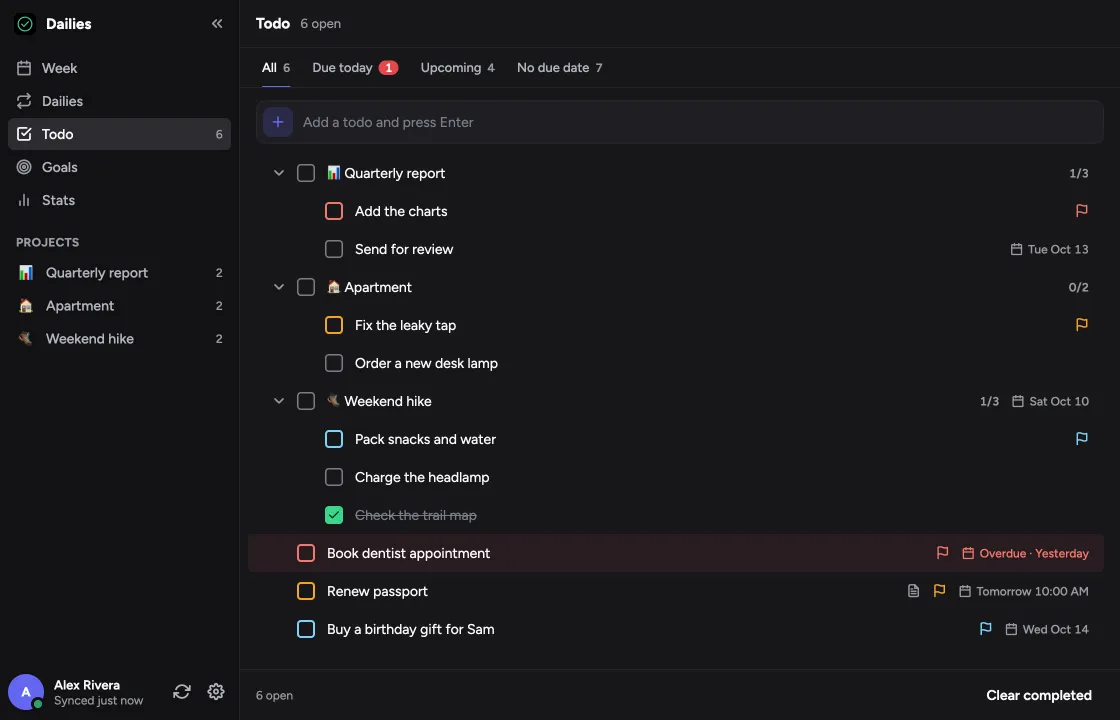
- Type a todo and press Enter; give it a due date and time if it has one
- Dated todos appear on the week board on their day, next to your dailies
- Overdue todos carry forward to today and show in red until they're done
- Subtasks, one level deep: drop a todo onto another to nest it
- Drag to reorder; finished todos move to a Completed group
- Right-click any todo to mark it done, set a due date, add a subtask, move it, edit or delete it
Why put todos on a week board
A long list hides when things are due. On a week board, Thursday's dentist appointment sits beside Thursday's routine, so you can see a busy day coming and plan around it. Planning the week becomes a matter of dragging your eyes across seven columns instead of scrolling one list.
Nothing falls off
Paper lists and many apps let an overdue item sit on a date you've already left behind. Dailies moves it to today and keeps it red until it's done, so you deal with it, reschedule it or delete it on purpose.
Repeating things are dailies
Todos are for one-offs. Things you do again and again, like a weekly review or taking the bins out every Tuesday, are dailies: each has a repeat (every day, chosen weekdays, or every N days), a do-by time and a streak. Both live on the same board. See the habit tracker guide and the routine planner guide.
More about Dailies
FAQ
Questions, answered
Can todos repeat?
Todos are one-offs. Anything you do again and again, like a weekly review, is a daily with its own repeat (every day, chosen weekdays, or every N days), and it shows up on the same board.
Does every todo need a date?
No. Todos without a date stay in your Todo list. Give one a date, and a time if you like, and it also appears on the week board on that day.
What happens to an overdue todo?
It carries forward to today and shows in red until you mark it done, so it can't slip out of view.
Can I add subtasks?
Yes, one level deep. Drop a todo onto another to nest it under it, or drag todos to reorder them. Finished todos move to a Completed group.
Does it sync between devices?
Yes, across the web app and the desktop apps for Mac, Windows and Linux. Changes save on your device first, so it works offline and syncs when you're back online.
Is Hello Dailies free?
Yes, during early access. Paid plans will start with a 7-day free trial, then $1 a month, billed $12 once a year, or $1.67 month to month. Cancel during the trial and you won't be charged.
Put your todos on your week
Free during early access. Set up your first routine in about a minute.
Web, Mac, Windows and Linux. iPhone coming soon.