 Dailies
Plan your daily routine, then actually follow it
Write your routine down once, step by step and time by time. Dailies lays it out on your week, shows what's next, and tells you honestly what slipped.
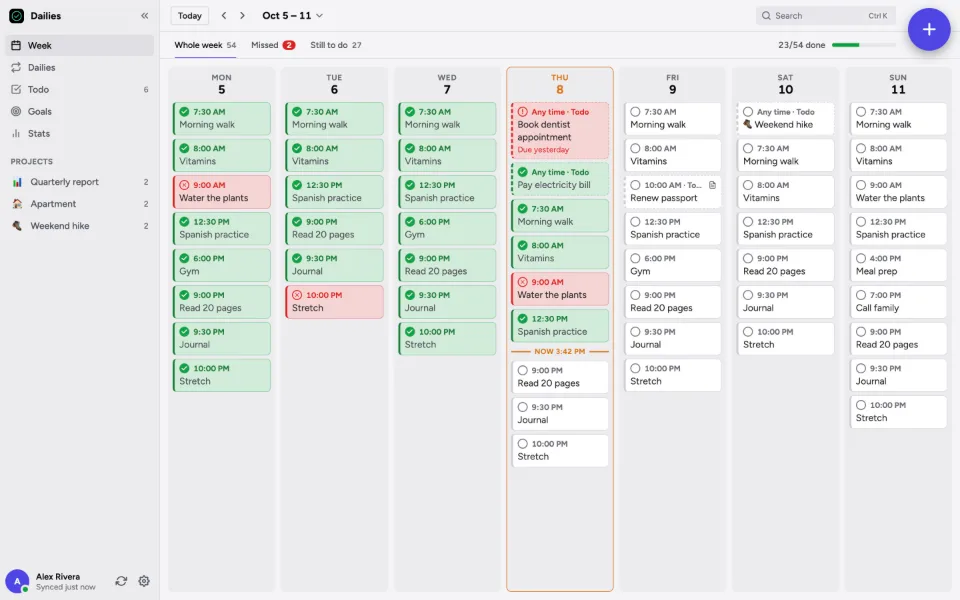
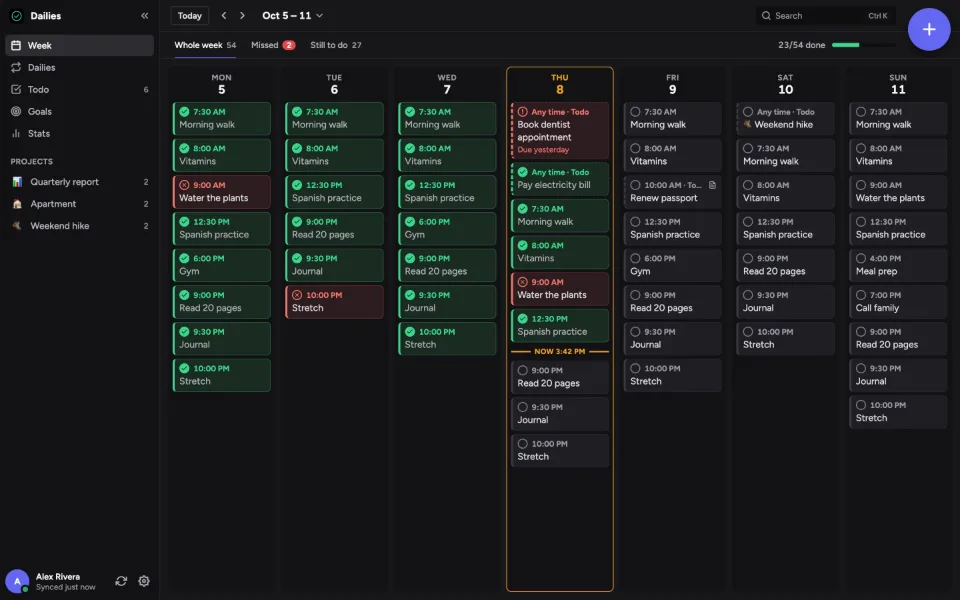
Build a routine in a few minutes
- List the steps. Add each part of your routine as a daily: wake up and hydrate at 8:00, make the bed at 8:05, plan the day at 8:30.
- Choose when each one repeats. Every day, only on weekdays, only at weekends, or every few days.
- Follow the board. Each day's column lists your routine in time order, with a line for the current time, so the next step is always in front of you.
- Adjust as you go. Right-click any step to edit or delete it. Every delete asks first.
Morning, evening and everything between
Every step has a do-by time, so one list covers your whole day: a morning routine, a lunchtime walk, an evening wind-down. Steps sort by time, so the board reads like your day. A routine might look like this:
| Time | Daily | Repeats |
|---|---|---|
| 08:00 | Wake up and hydrate | Every day |
| 08:05 | Make the bed | Every day |
| 08:30 | Plan the day | Monday to Friday |
| 12:30 | Walk outside | Every day |
| 18:00 | Gym | Monday, Wednesday, Friday |
| 19:00 | Water the plants | Every 3 days |
| 21:30 | Read 20 pages | Every day |
Weekdays and weekends can differ
Pick the weekdays each step happens on. A later wake-up at the weekend is just another daily that runs on Saturday and Sunday, and a work-only step like "plan the day" stays off your Sundays.
A routine is only half the plan
One-off things go in Todo with a date, and a time if you like, and land on the same board as your routine. Anything unfinished carries forward to today, so it can't slip out of view. Goals sit alongside to remind you why the routine matters. See how todos work on the week board.
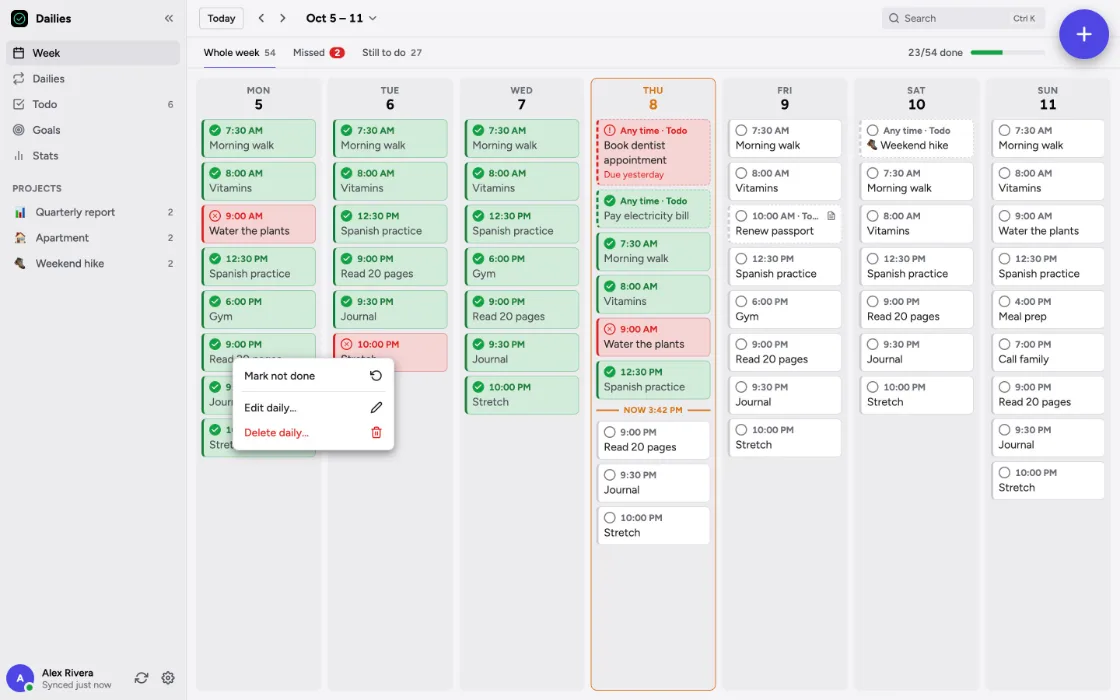
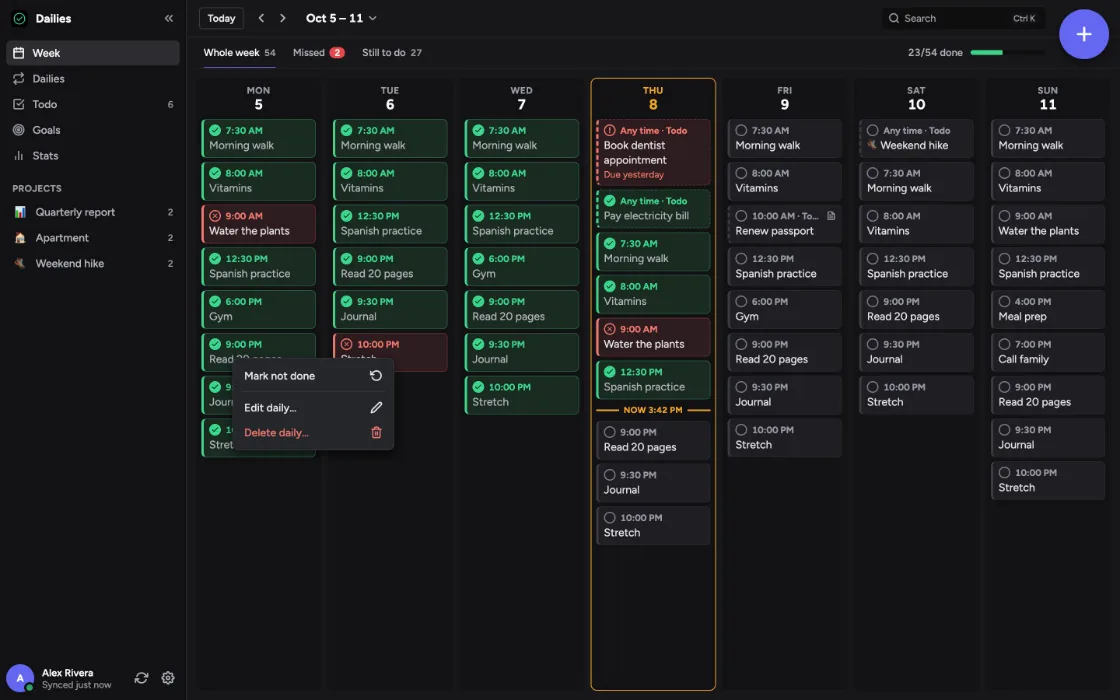
Know where you stand
Stats shows how much of your routine you got done over the last 7 and 30 days, and how many perfect days you've strung together. Each step gets its own bar, so if one keeps slipping, you'll see it, and maybe move it to a better time. More on that in the habit tracker guide.
On desktop, the Dailies app sits in your tray with what's left today and nudges you when a step is due.
More about Dailies
FAQ
Questions, answered
Is Dailies a calendar?
No. Dailies tracks things you do, each with a do-by time, instead of blocking out hours. A step has no length: it's done, still to do, or missed once its time passes.
Can my weekend routine be different?
Yes. Each daily can run on chosen weekdays, so a weekday wake-up and a later weekend one are simply two dailies.
Can I plan one-off tasks too?
Yes. Give a todo a date, and a time if you like, and it appears on the week board next to your routine. If it isn't done, it carries forward to today.
Can I use it on my phone?
Yes. The web app has a phone layout in any mobile browser, and an iPhone app is coming to the App Store. Everything syncs.
Is Hello Dailies free?
Yes, during early access. Paid plans will start with a 7-day free trial, then $1 a month, billed $12 once a year, or $1.67 month to month. Cancel during the trial and you won't be charged.
Plan your routine
Free during early access. Set up your first routine in about a minute.
Web, Mac, Windows and Linux. iPhone coming soon.