Did you do your dailies?

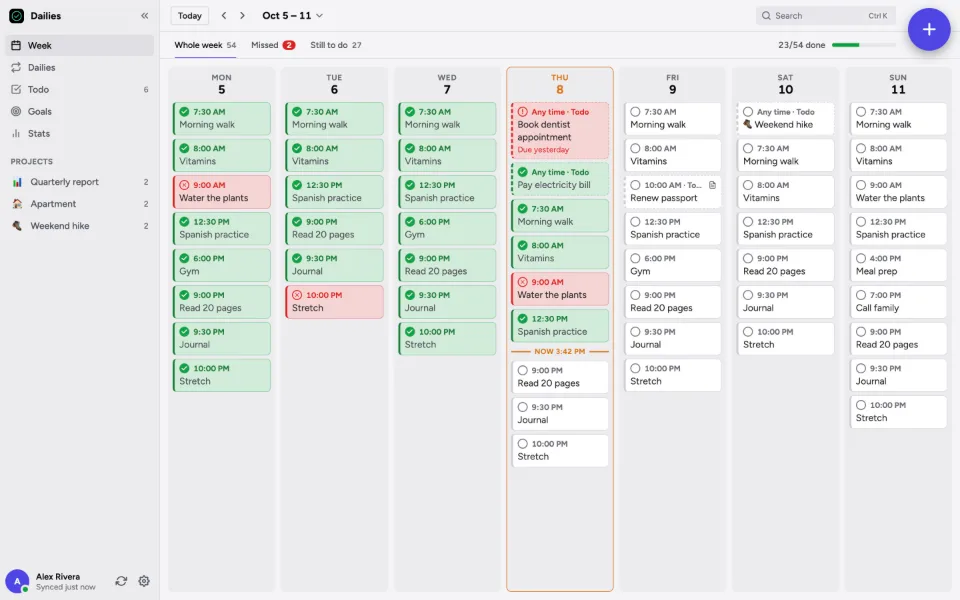
Dailies puts your routine, todos and goals on one week board. Green when it's done, red when it slipped, and a line for right now, so you always know what's next.

Works in your browser, nothing to install. Also on Mac, Windows and Linux; iPhone coming soon.

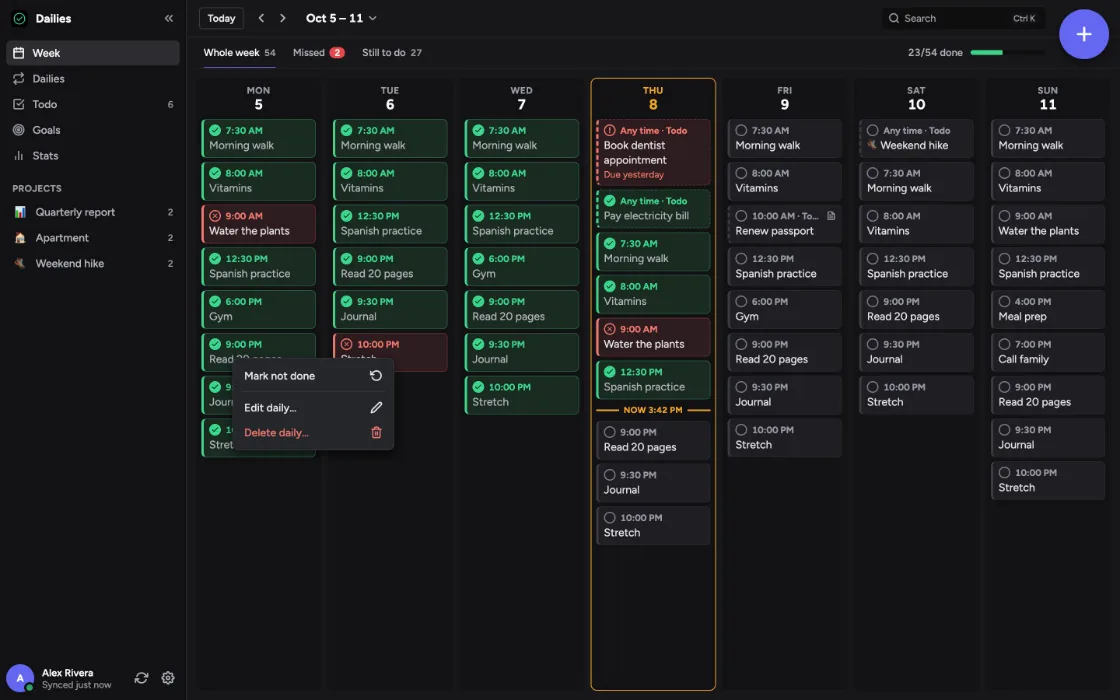
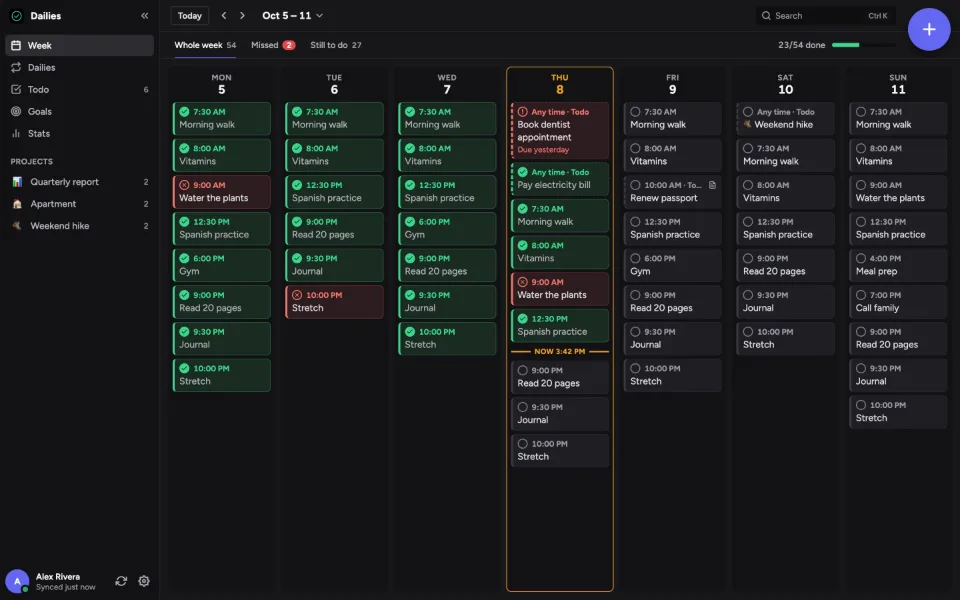
The Dailies week board: a sidebar with your projects, and seven columns, Monday to Sunday. Finished dailies are green, missed ones are red, and a line marks the current time on Thursday. A big plus button adds something new. The Dailies week board: a sidebar with your projects, and seven columns, Monday to Sunday. Finished dailies are green, missed ones are red, and a line marks the current time on Thursday. A big plus button adds something new.
  • Done
  • Missed
  • Still to do
  • Right now

Everything in one place

Built for the things you do every day

Dailies, todos, goals and a diary, all on the same board, all in sync.

Dailies

Routines that fit real life

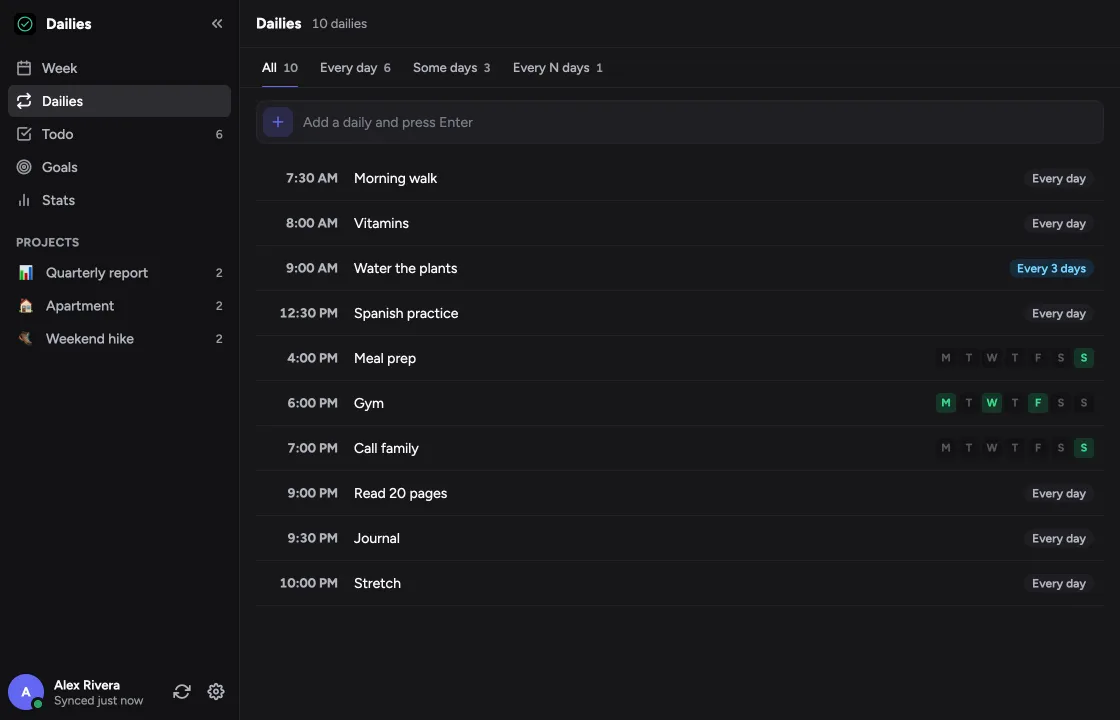
Every day, a few days a week, or every few days. Give each one a do-by time and Dailies tells you when it's done, still to do, or missed.

  • Every day, chosen weekdays, or every N days
  • A do-by time for each one
  • Click a card on the week board to check it off
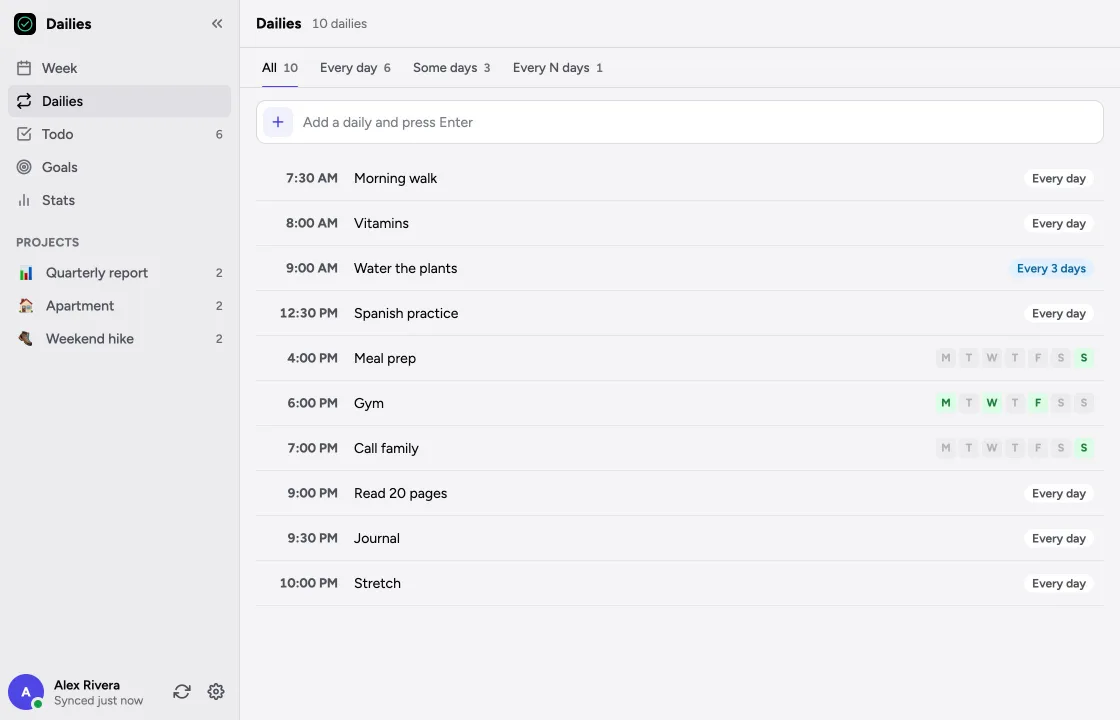
The Dailies list: each daily with its time and how often it repeats. The Dailies list: each daily with its time and how often it repeats.

Todos

Todos that land on your week

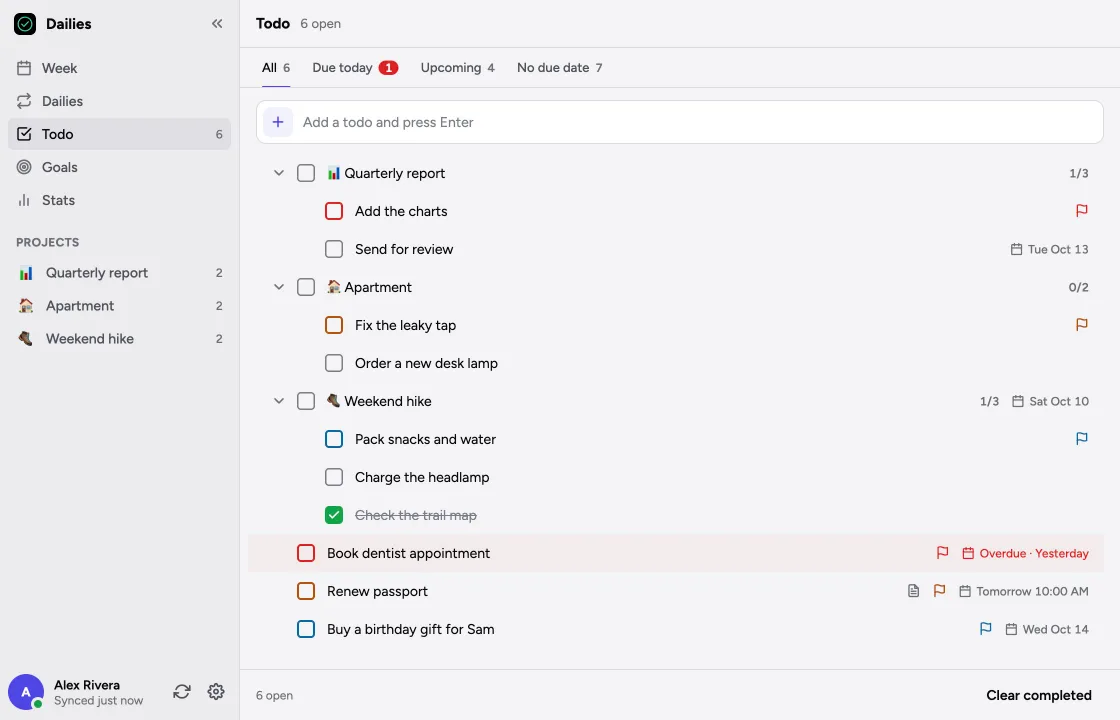
Group todos into projects, flag what matters most, and give them a date to put them on the board next to your dailies. Miss one and it follows you to today until it's done.

  • Projects with their own emoji, right in the sidebar
  • High, medium and low priority, notes and due times
  • Drag to reorder, or sideways to make a subtask
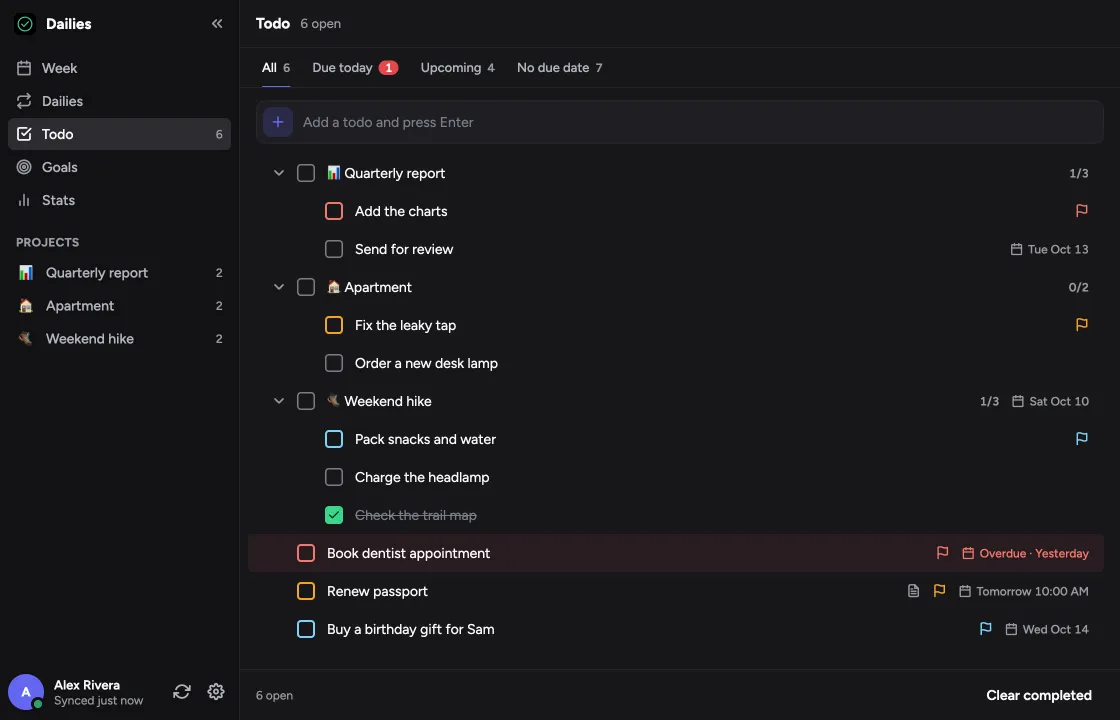
The Todo list: projects with emoji icons and their subtasks, colored priority flags, an overdue todo in red, and a collapsed Completed group. The Todo list: projects with emoji icons and their subtasks, colored priority flags, an overdue todo in red, and a collapsed Completed group.

Goals

Keep the long game in view

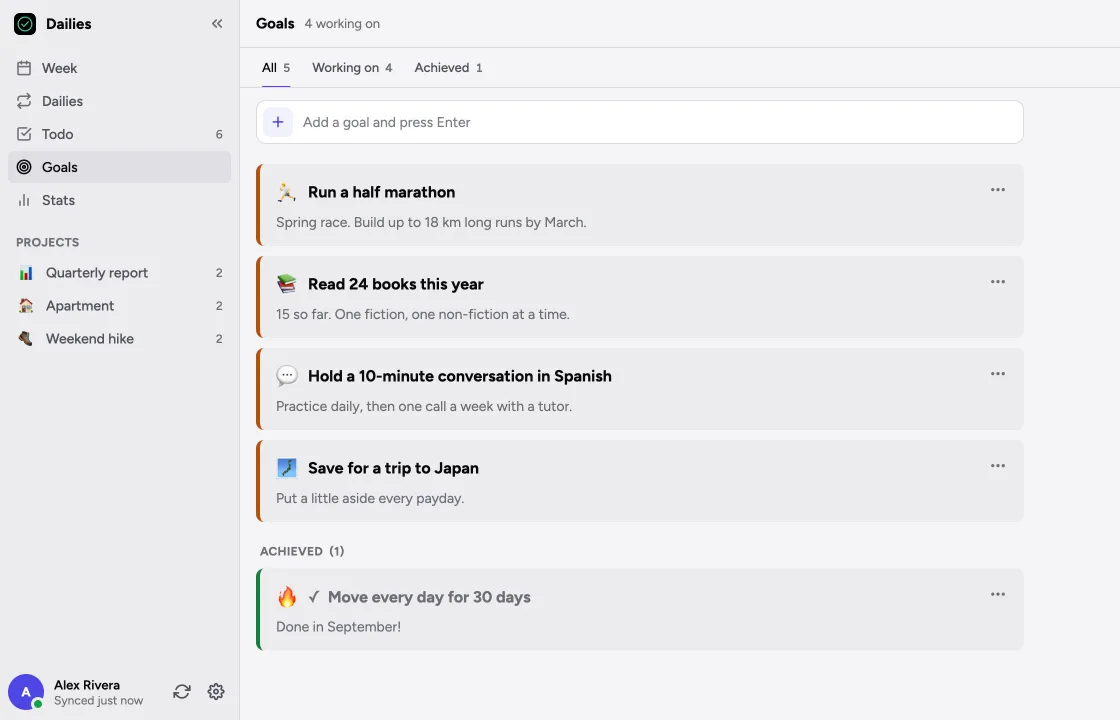
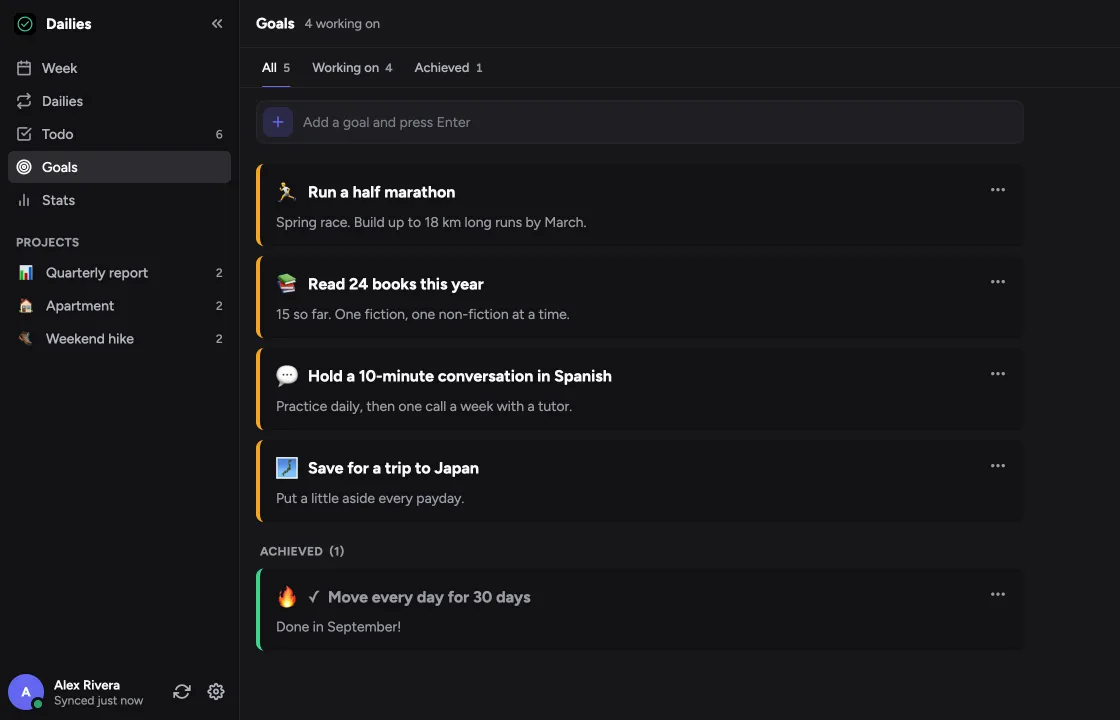
The big things your dailies add up to. Write down why they matter and what done looks like, then mark them achieved.

  • Notes and an emoji for every goal
  • Drag them into the order that matters to you
  • Working on and achieved, side by side
The Goals screen: goals with emoji icons and notes, and an achieved goal. The Goals screen: goals with emoji icons and notes, and an achieved goal.

Diary

A diary only you can read

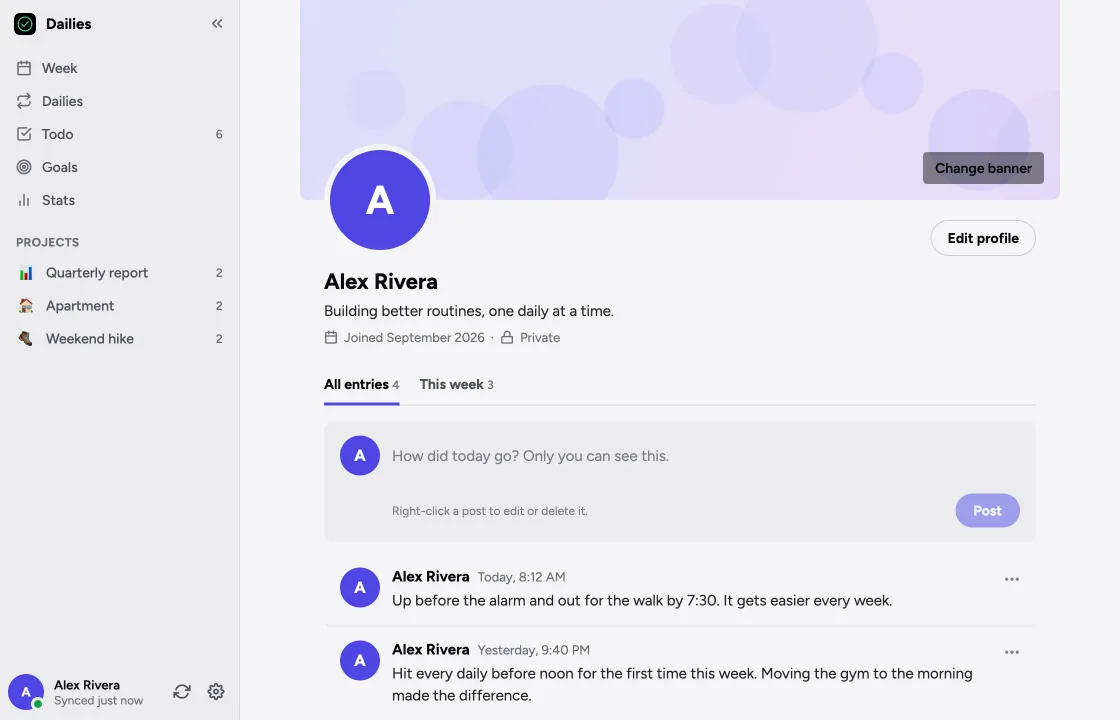
Your profile has a private feed for how the day went. Jot a line after your dailies and look back on what worked. Nobody else can see it.

  • Your own banner, picture and bio
  • Edit or delete any post
  • Private, always
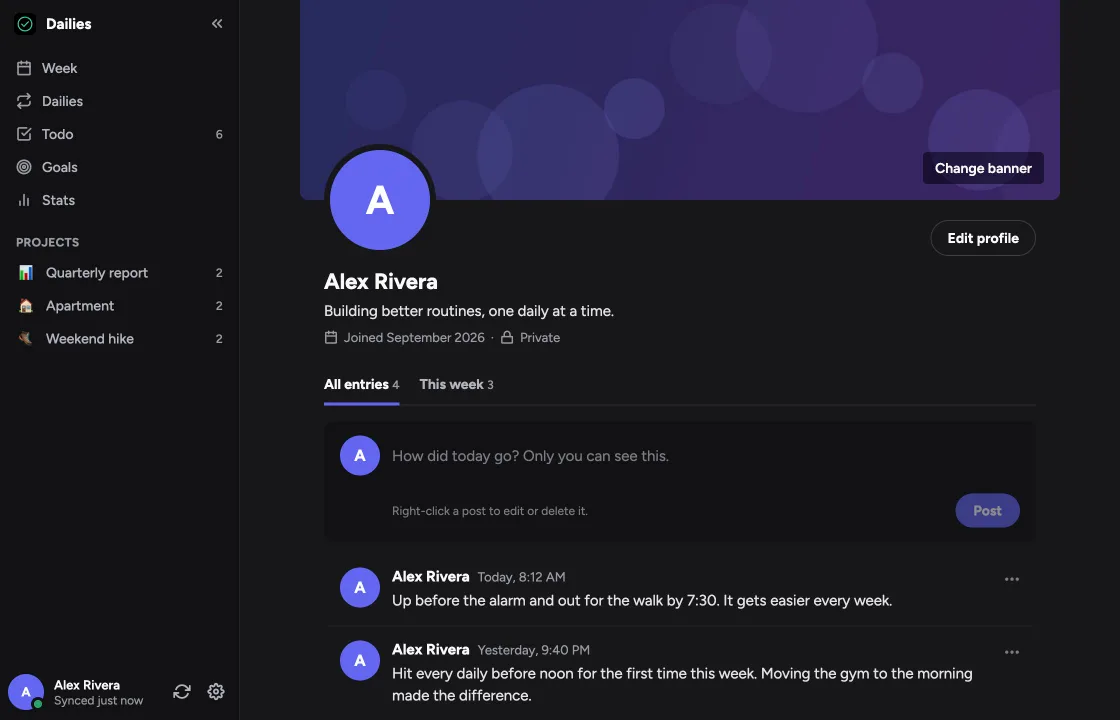
A profile page with a banner, name and bio, above a private diary of short posts. A profile page with a banner, name and bio, above a private diary of short posts.

Quick to use

Right-click everything

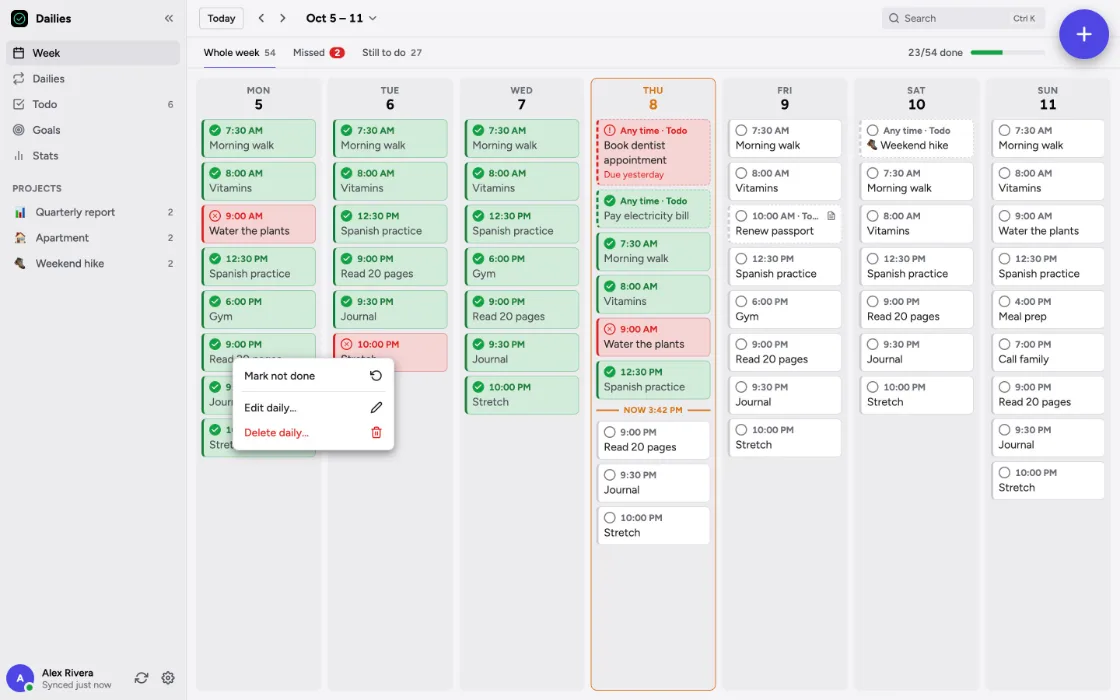
Mark done, edit, move or delete from any card. The big plus adds a daily, todo or goal from the week, Ctrl+K searches, and checked something off by mistake? Undo it from the toast.

  • Menus on every card and row
  • One button to add anything
  • Undo after every check-off, and every delete asks first
The week board with a right-click menu open on a finished daily: Mark not done, Edit daily, Delete daily. The week board with a right-click menu open on a finished daily: Mark not done, Edit daily, Delete daily.

Stats

Watch your streaks grow

See how your week and month went, how many perfect days you've strung together, and twelve weeks at a glance. Every daily gets its own bar, so you can spot the ones that slip.

  • The last 7 and 30 days
  • Perfect days in a row, and your best run
  • A bar and a streak for each daily
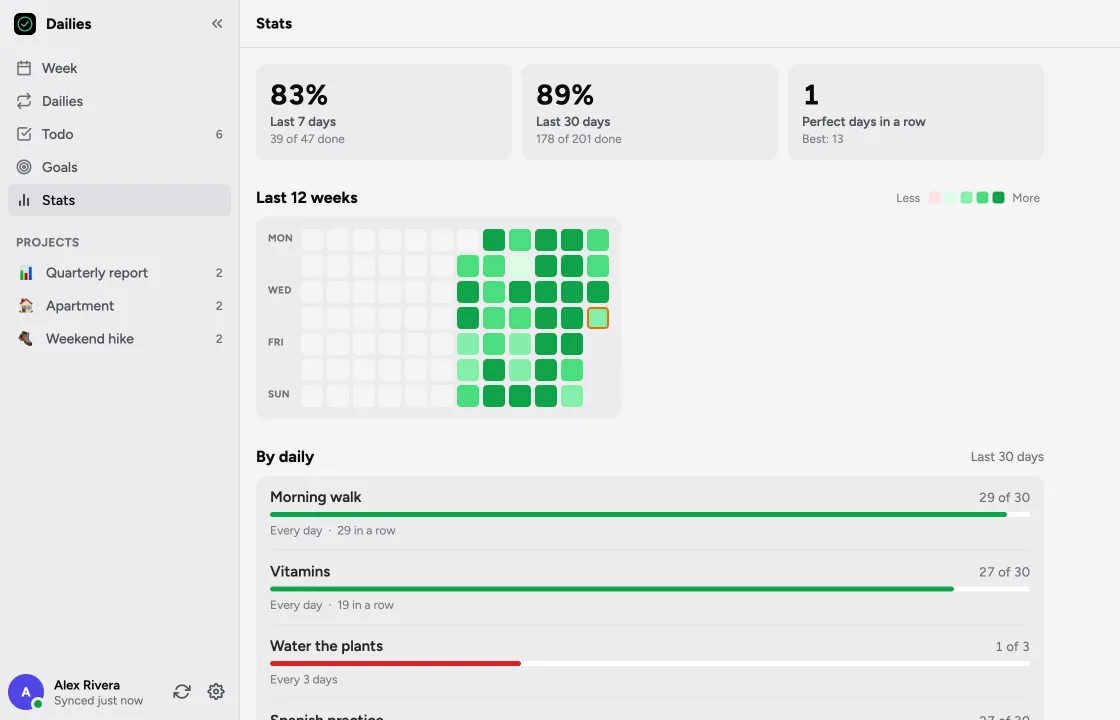
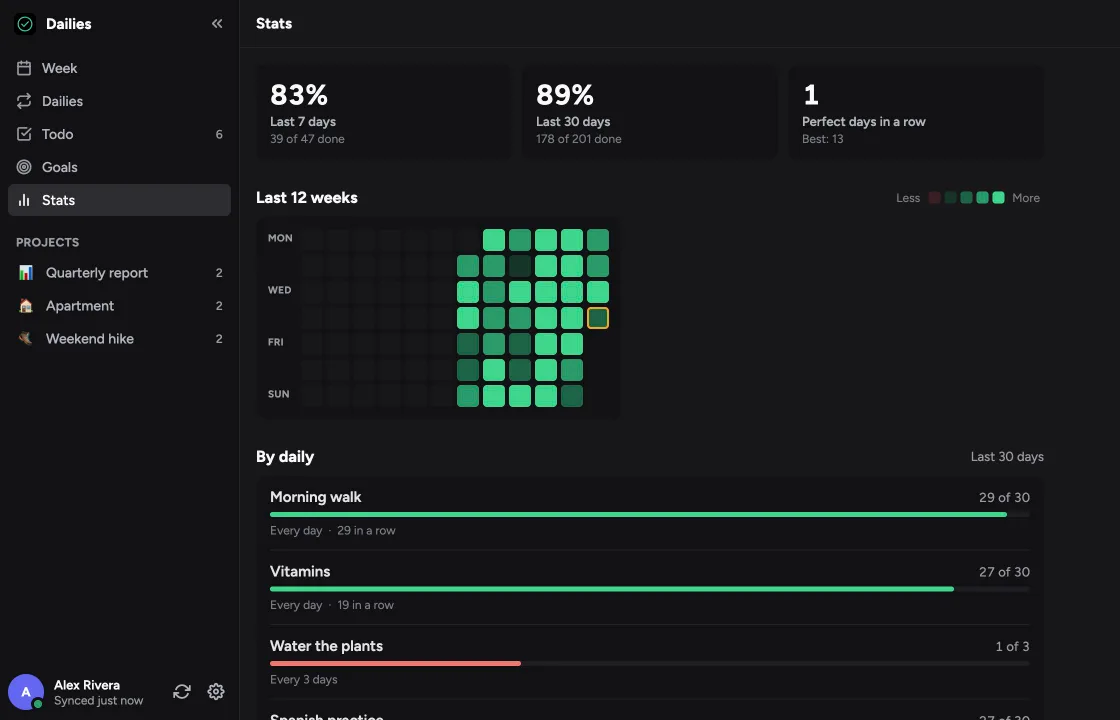
The Stats screen: 83% done in the last 7 days, 89% in the last 30, a run of perfect days, a 12-week grid of how full each day was, and a bar for each daily. The Stats screen: 83% done in the last 7 days, 89% in the last 30, a run of perfect days, a 12-week grid of how full each day was, and a bar for each daily.

Appearance

Make it yours

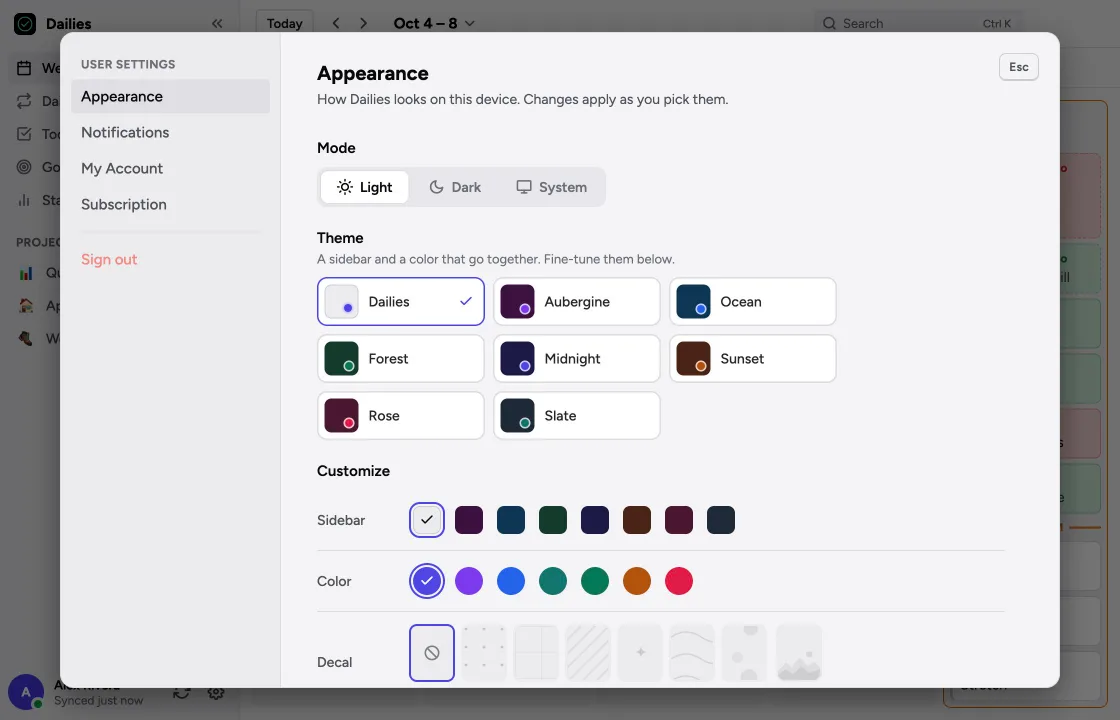
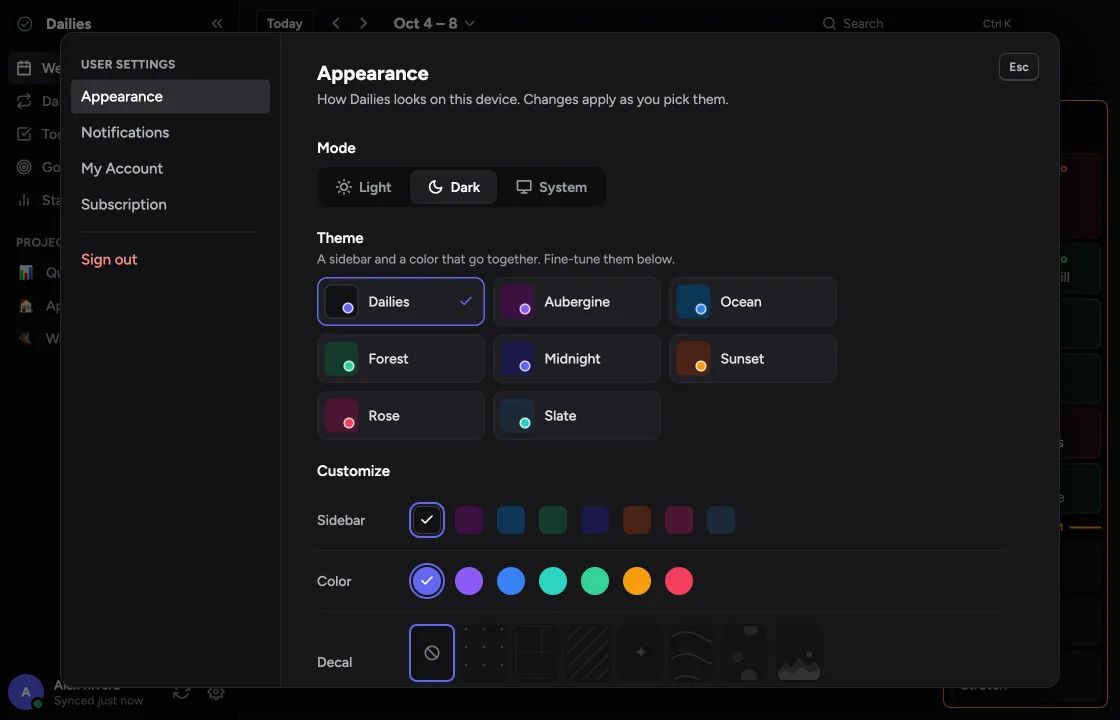
Light, dark or match your system. Pick a theme like Aubergine, Ocean or Forest, or mix your own sidebar color and accent. Changes apply as you pick them.

  • Eight themes, eight sidebar colors, seven accents
  • Sidebar decals: dots, waves, mountains and more
  • Saved per device, so your phone can differ from your laptop
Settings, Appearance: light, dark or system mode, eight themes such as Aubergine, Ocean and Forest, then the sidebar color, the brand color and a sidebar decal. Settings, Appearance: light, dark or system mode, eight themes such as Aubergine, Ocean and Forest, then the sidebar color, the brand color and a sidebar decal.
  • Works offline

    Changes save on your device first and sync when you're back online.

  • Syncs everywhere

    Check something off on your laptop and it's done in the browser too.

  • Private by default

    No ads and no tracking. Your data is never sold or shared.

  • Tray and alerts

    On desktop, the tray shows what's left today and nudges you when something's due.

  • Sign in your way

    Email and password, or Continue with Google or Apple.

  • Leave anytime

    Delete your account from Settings and everything in it goes with it.

  • Undo in a click

    Checked something off by mistake? Undo it from the note that slides in.

  • Fits any screen

    On a phone browser the web app turns into tabs you can use with one thumb.

Pricing

Free while we're in early access

Use everything for free today. When paid plans start, each new account begins with a 7-day free trial. Cancel before it ends and you won't be charged.

Early access

$0

Everything in Dailies, on every device.

Get started for free

Yearly Save 40%

$1/month

$12 billed once a year.

Monthly Later

$1.67/month

Billed monthly. Cancel anytime.

Download

Dailies on your computer

The desktop app adds a tray icon with today's count and alerts when something's due. Your data syncs with the web app.

Recommended for you

macOS

Apple silicon and Intel · 218 MB

Download for Mac

Preview build, not yet signed by Apple. The first time you open it, go to System Settings → Privacy & Security and click Open Anyway.

Recommended for you

Windows

Windows 10 and 11, 64-bit · 106 MB

Download for Windows

Preview build, not yet signed. If Windows SmartScreen appears, click More info, then Run anyway.

Recommended for you

Linux

Ubuntu, Debian and friends, 64-bit · 96 MB

Download .deb

Open it with your software installer, or run sudo apt install ./dailies-app_amd64.deb. After that, it updates with your system updates.

Rather not install anything? Open the web app. The iPhone app is coming to the App Store.

FAQ

Questions, answered

What is Hello Dailies?

Hello Dailies is a daily routine and habit tracker. You add your dailies (the things you do every day, or on certain days, each with a do-by time), and a week board shows what's done in green, what you missed in red and what's still to come. Todos with due dates, long-term goals and a private diary live alongside them, and the app itself is called Dailies.

How much does it cost?

Hello Dailies is free during early access. Paid plans will start with a 7-day free trial, then $1 a month, billed $12 once a year, or $1.67 month to month. Cancel during the trial and you won't be charged.

Which devices does it work on?

It runs in the browser at app.hellodailies.com, and as a desktop app for macOS (Apple silicon and Intel), Windows 10 and 11, and Linux (.deb for Ubuntu and Debian). An iPhone app is coming to the App Store. Your data syncs between all of them.

Can a task repeat every few days?

Yes. A daily can repeat every day, on chosen weekdays, or every N days from a start date (for example every 3 days), and each one has a do-by time.

What happens when I miss something?

A daily whose time has passed without being checked off turns red as missed. An unfinished todo carries forward to today, so it stays in front of you until it's done.

Does it work offline?

Yes. Changes are saved on your device first and sync when you're back online.

Is my diary private?

Yes. Your profile and diary are visible only to you. Hello Dailies has no ads and no tracking, and never sells or shares your data. You can delete your account and everything in it from Settings at any time.

Ready to do your dailies?

Free during early access. Set up your first routine in about a minute.

Prefer an app? Download it for Mac, Windows or Linux.